
Workout tracker
Your workout tracker for the gym.
Gainsmith is a workout tracker and gym app for strength training. Log sets, reps and RIR in seconds with last time’s numbers already filled in, and see when the weight goes up and why. Start free in your browser; all your account needs is an email address.
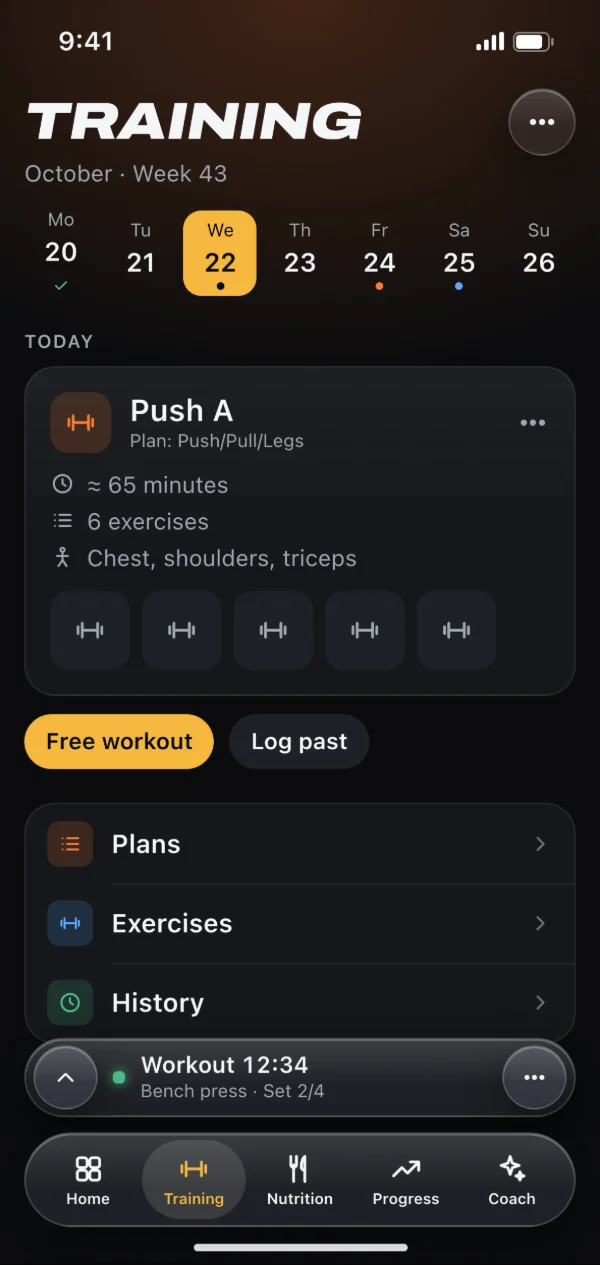
Plans that grow with your strength
Set up a plan with your training days, either as a rotation or on fixed weekdays. For each exercise you choose sets, rep range, target RIR and rest. With double progression the weight goes up once every set reaches the top of the range. Add an optional RIR gate and it only goes up if you also had enough left in the tank.
- Rotation or fixed weekdays
- Supersets and drop sets
- Every change creates a new plan version; the old one stays as you trained it
- Turn a PDF or text into a plan with AI (account needed)
Quick to log, with your last numbers
When you start a workout, every set is already filled in with last time’s numbers. One line above tells you what today is about, like “Last time 50 × 12 @ RIR 2 → today 50 kg, more reps”. Change only what was different and check it off. Every entry is saved right away and survives a reload. Swap, add or drop exercises mid-workout. The iPhone app will later add a Live Activity on the lock screen and heart rate from a chest strap.
- RIR in half steps
- Rest timer with −15 s and +15 s
- A note per exercise that’s there again next time
- Weights in kg or lb
PRs and history for every exercise
Gainsmith tracks four kinds of PR: the heaviest set, the estimated 1RM, the most volume in a session and the most reps. New PRs show up in the summary right after your workout. Every exercise has its own page with a chart for e1RM, top weight and volume, plus every set you’ve ever done. Forgot to log a workout? Add it later with date and time.
One side at a time, bodyweight, the way you train
Log Bulgarian split squats or one-arm rows left and right separately, with numbers for each side. A pair counts as one set, and the rest timer starts after the second side. Bodyweight exercises skip the weight field automatically. Need extra load, say for dips? Switch the weight on per exercise or fix it in the plan.
- Over 1,700 exercises with instructions, many with photos, filtered by muscle and equipment
- Create your own exercises in seconds
- Set sides and weight per exercise or per plan
Moving over from Hevy or Strong
Your history comes with you. Export your workouts from Hevy or Strong as CSV and load the file under Settings → Data. Gainsmith matches the exercise names to its catalog and shows you uncertain matches to check. The import runs on your device, with no AI. Your last numbers and PRs are there from your very first workout.
How to get started
Open Gainsmith in your browser and create a free account with your email address or Google.
Set up a plan with your training days, or bring your history over from Hevy or Strong.
Start the workout, check off your sets and look at the summary with your new PRs afterwards.
Frequently asked questions
Is the workout tracker free?
Do I need internet at the gym?
When does Gainsmith suggest more weight?
Can I log exercises without weight?
Can I export my workouts?
Related features
Hevy and Strong alternative
Import the CSV export from Hevy or Strong, match your exercises and keep training with your full history.
Fitness tracker
Weight, body fat, measurements and photos with history and trend. Plus your streak, your year at a glance and a weekly review.
AI fitness coach
Suggestions on sets, deloads and your calorie goal, each with a reason. Fixed rules first, AI for plateaus and photos.
Try it with your next workout.
Gainsmith is free in your browser, with no ads and no tracking. All your account needs is an email address. The iPhone and Android apps are on their way.